


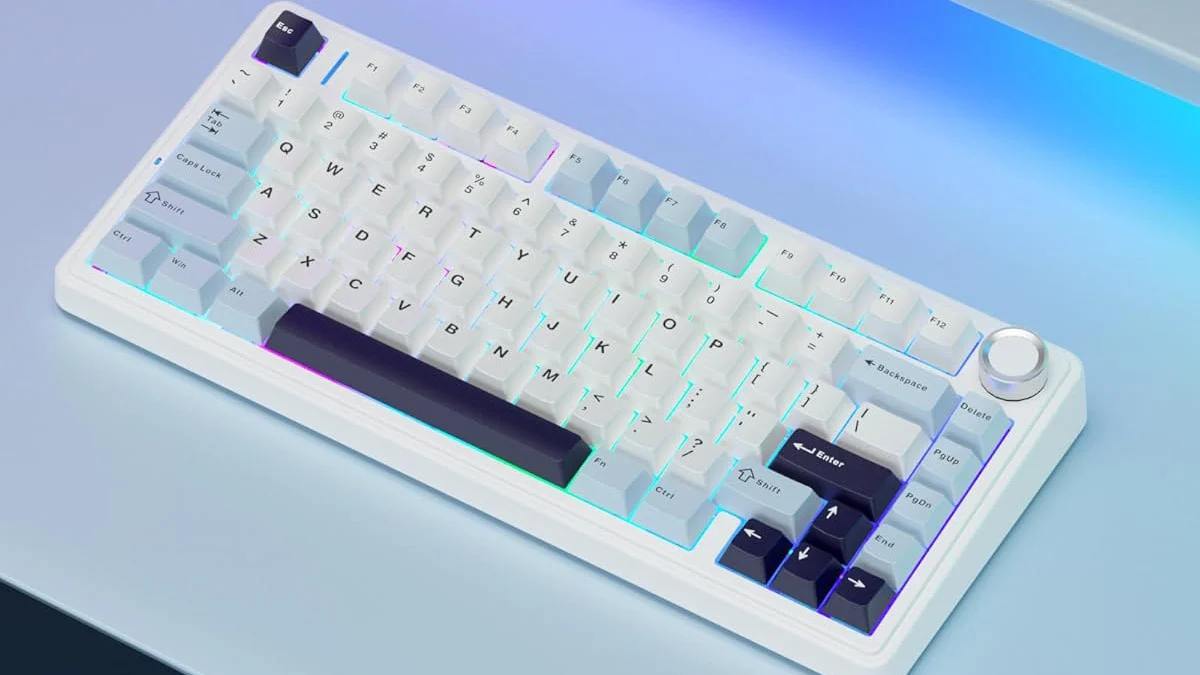
In recent years, keyboard preferences have shifted dramatically, especially among creative professionals. Designers, in particular, are moving away from bulky full-size keyboards and embracing more compact layouts. One of the most noticeable trends is Why Designers Are Switching to 75 keyboard, a layout that strikes a balance between functionality and minimalism.
This article explores the reasons behind this growing preference and why 75% keyboards are becoming a staple on designers’ desks.
What Is a 75% Keyboard?
A 75% keyboard is a compact keyboard layout that retains most essential keys while eliminating unnecessary bulk. It includes the alphanumeric keys, function row, arrow keys, and a condensed navigation cluster—all packed into a smaller footprint.
Unlike 60% keyboards, which remove many navigation and function keys, the 75% layout preserves usability while still saving desk space. This makes it especially appealing to designers who rely on shortcuts and precision.
Why Designers Value Desk Space
A Cleaner, More Minimal Workspace
Designers often prioritize aesthetics and organization. A smaller keyboard leaves more room for sketchpads, tablets, color swatches, and other creative tools. This is one of the main reasons Why Designers Are Switching to 75% Keyboards—they help create a clutter-free, visually pleasing workspace.
Better Mouse and Tablet Movement
Graphic designers, UI/UX professionals, and illustrators rely heavily on mouse or pen tablet movement. A compact keyboard allows for a more natural arm position, reducing strain and increasing comfort during long design sessions.
Improved Ergonomics for Long Design Sessions
Reduced Shoulder and Wrist Strain
With a 75% keyboard, the mouse sits closer to the typing position. This minimizes shoulder extension and wrist movement, which can help prevent fatigue and repetitive strain injuries—common issues among designers.
Comfortable Key Access
Despite being compact, 75% keyboards keep frequently used keys within easy reach. Designers can quickly access arrow keys, function keys, and shortcuts without awkward key combinations.
Productivity Without Compromise
Essential Keys Are Still There
One major concern with compact keyboards is the loss of functionality. However, 75% keyboards retain almost all essential keys designers use daily, including function keys for software shortcuts and navigation keys for precise control.
Faster Workflow and Shortcuts
Design software like Adobe Photoshop, Illustrator, Figma, and Blender relies heavily on keyboard shortcuts. The 75% layout supports these workflows efficiently, reinforcing Why Designers Are Switching to 75% Keyboards instead of smaller layouts.
Aesthetic Appeal and Customization
Matches Creative Personal Style
Designers often see their workspace as an extension of their creativity. Many 75% keyboards come in sleek designs with customizable keycaps, colors, and layouts that match a designer’s personal brand.
Mechanical Keyboard Customization
The rise of mechanical keyboards has made 75% layouts even more popular. Designers can choose switch types, lighting, and sound profiles that suit their preferences, adding both comfort and inspiration to their workflow.
Portability for Hybrid and Remote Designers
Many designers now work remotely or switch between home, office, and client locations. A 75% keyboard is easy to carry in a backpack without sacrificing usability. This portability is another strong factor in Why Designers Are Switching to 75% Keyboards over full-size options.
Conclusion
The growing popularity of 75% keyboards among designers is no coincidence. They offer the perfect blend of compact design, ergonomic benefits, full functionality, and aesthetic appeal. From improving workflow efficiency to creating a cleaner, more comfortable workspace, it’s clear Why Designers Are Switching to 75% Keyboards.
