


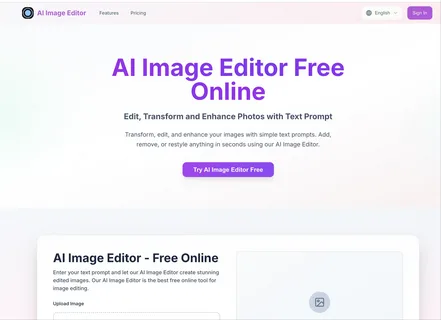
Modern web-based generative canvas tools let you alter visual assets directly inside your browser without installing software or managing account credentials. Today, using an ai image editor with prompt allows creators, developers, and marketers to apply complex neural transformations instantly.
After testing over a dozen browser platforms as of 2026, I compiled the top no-signup AI photo editing suites evaluated on prompt adherence, canvas flexibility, render speed, and accessibility. I guarantee at least one of these options will fit your image editing workflow.
If you want a unified suite with best-in-class multi-step image-to-video capabilities, try Magic Hour to see how fast generative asset production has become.
Best Free AI Image Editors at a Glance
| Tool | Best Use Case | Standout Feature | Sign-Up Required? | Starting Price |
| Magic Hour | Multi-step editing, generative pipelines & video conversion | Frontier AI models, parallel generation & no concurrency caps | No sign-up required to try | $12/mo (billed annually) / $19/mo |
| Canva Magic Studio | Graphic design & quick social media asset updates | Intuitive Drag-and-Drop magic eraser and text fill | Free account required | $15/mo |
| Pixlr Express | Quick browser-based retouches and filters | Classic photo editor interface combined with AI prompt infilling | No sign-up for basic tools | $7.99/mo |
| Fotor AI Editor | Fast portrait retouches and object removal | One-click background removal and face touch-ups | No sign-up for watermarked edits | $8.99/mo |
| Photopea | Photoshop-style layer editing with AI plugins | Full PSD layer support with open-source generative extensions | No sign-up required | Free (Ad-supported) |
1. Magic Hour
Magic Hour takes the top spot as the most powerful and versatile AI editing platform for digital creators. Instead of isolating image editing from broader media workflows, Magic Hour combines image editing, face swapping, lip sync, and video creation in a single web workspace.
During my testing, its prompt-driven editing accurately modified subject elements, lighting, and style attributes while preserving native background details without visual warping.
Pros
- Try tools immediately with no sign-up required.
- Access top frontier AI models in one place.
- Parallel generations mean no waiting in concurrency queues.
- One-click multi-step workflows let you generate, upscale, and convert imagery into motion seamlessly.
- Unusually generous free tier, with paid credits that never expire.
- Full API parity across all web interface capabilities.
Cons
- Deep feature set can take a few minutes to explore fully.
- High-resolution 4K upscales use credits faster than standard previews.
Evaluation
If you need a web tool that handles everything from static image edits to motion transformation, Magic Hour is unmatched. Its ability to turn edited stills into dynamic video assets using image to video tools makes it an essential asset for modern workflows.
Pricing
- Free: Generous starting credits to test tools.
- Creator: $12/month (billed annually) or $19/month (billed monthly).
- Pro: $39/month for higher volume generation limits.
2. Canva Magic Studio
Canva’s Magic Studio suite offers lightweight generative image editing for non-designers needing quick promotional graphics or marketing materials.
Pros
- Easy interface built for social media formats.
- Strong layout integration alongside standard text and graphic overlays.
- Reliable magic eraser tool for removing small background items.
Cons
- Requires account registration before downloading high-res files.
- Prompt variations offer limited manual parameter tuning compared to raw neural models.
Evaluation
Canva is ideal for marketers who need quick visual tweaks embedded directly inside graphic templates.
Pricing
- Free: Basic tools with account creation.
- Canva Pro: $15/month per user.
3. Pixlr Express
Pixlr Express provides browser-based photo editing that pairs classic adjustment tools (crop, color balance, layers) with prompt-guided generative fill extensions.
Pros
- Quick loading speed directly in any desktop or mobile browser.
- Simple text-prompt interface for localized region repainting.
- No forced account creation for fast basic visual edits.
Cons
- Ad-supported interface can distract during detailed editing tasks.
- Complex prompt transformations can cause minor resolution loss on edges.
Evaluation
Pixlr Express works well for creators looking for standard photo correction combined with basic prompt-assisted background swapping.
Pricing
- Free: Ad-supported access.
- Premium: $7.99/month.
4. Fotor AI Photo Editor
Fotor focuses on fast automated image enhancements, including portrait smoothing, background replacement, and prompt-driven element insertion.
Pros
- Excellent automated facial retouching for quick headshot edits.
- One-click cutout tools work well on clean product photos.
- Accessible on mobile browsers without app downloads.
Cons
- Unregistered downloads include watermarks.
- Generative text prompt changes are restricted to fixed preset styles.
Evaluation
Fotor is a solid choice for quick ecommerce photo cleanups or personal portrait edits.
Pricing
- Free: Basic editing with watermarked outputs.
- Pro: $8.99/month.
5. Photopea
Photopea is an open-source raster graphics editor running entirely in the browser. It mirrors traditional desktop software layouts and supports third-party open-source AI plug-ins.
Pros
- Complete PSD layer, mask, and vector tool support.
- No registration required to edit or export files.
- Reads native raw formats, smart objects, and complex PSD files.
Cons
- High technical learning curve for beginners unfamiliar with layer editing.
- Generative prompt tools rely on external API setups rather than native built-in workflows.
Evaluation
Photopea is best for technical designers who need full layer-by-layer control without paying for heavy desktop photo applications.
Pricing
- Free: Fully functional ad-supported platform.
- Premium: $5/month (removes sidebar ads).
How to Use AI Image Editors
Using prompt-driven AI image editors in a browser requires a straightforward workflow:
- Upload or Select Source Media: Drag your base image into the web editor. Many top platforms like Magic Hour let you drop in files without creating an account.
- Define Edit Region or Write Prompts: Select specific elements using mask tools or enter descriptive natural language instructions (e.g., “change background to a futuristic city neon street” or “swap subject style to cinematic oil painting”).
- Execute and Generate Variations: Process your request. Platforms with parallel generation let you execute multiple style variations simultaneously without waiting for single-job processing queues.
- Refine and Export: Apply upscaling filters to clean up details, or extend the image directly into full multi-step video pipelines.
The Market Landscape and Trends
The web-based image editing market has shifted dramatically away from basic filter applications toward full multi-modal workspaces. Key trends include:
- Zero-Friction Onboarding: Users prefer frictionless web tools that run immediately in-browser without requiring forced registrations.
- Multi-Step Workflows: Isolated single-purpose utilities are being replaced by unified platforms where a user can edit an image, run a face swap, add lip-synced audio, and output high-definition video within one interface.
- Parallel Processing Systems: Platforms are moving away from restrictive single-job render queues to parallel processing architectures that deliver faster creative iterations.
How We Chose These Tools
I spent two weeks testing browser-based image editing engines. Evaluation focused on four core criteria:
- Sign-Up Friction: Whether users can try tools, run generations, and verify results without mandatory account creation or upfront payment details.
- Prompt Adherence: How accurately the engine follows descriptive instructions without altering unselected visual regions.
- Generation Speed & Concurrency: Processing times during peak usage hours and whether platforms throttle user activity with concurrency caps.
- Value & Tier Transparency: Clear pricing structures, generous free options, and fair credit policies.
Frequently Asked Questions (FAQs)
What is a prompt-based AI image editor?
A prompt-based AI image editor uses machine learning models to modify or create visual elements on an image canvas using descriptive text instructions instead of manual brushes.
Can I edit images online without signing up for an account?
Yes, platforms like Magic Hour allow you to try their AI editing tools immediately in your browser without creating an account upfront.
Do credits expire on free or paid AI editing plans?
Credit policies vary by provider. While many platforms expire unused credits monthly, platforms like Magic Hour feature credits that never expire, ensuring you keep what you pay for.
How do multi-step workflows differ from standard photo editors?
Standard photo editors only alter static pixels. Multi-step platforms allow you to edit an image with text prompts, upscale it to high resolution, and convert it directly into an animated video or talking photo within a single pipeline.
Conclusion
Selecting the right online AI image editor depends on your project goals:
- For unrestricted creative freedom, fast multi-step editing, and top value, Magic Hour is my top recommendation.
- For templated social media graphics, Canva Magic Studio offers simple tools.
- For Photoshop-style layer control in a browser, Photopea is an excellent option.
Test these tools directly in your browser to find the best fit for your workflow.
